AI Apps for Anxiety and Overthinking
AI Apps for Anxiety and Overthinking: What to Check


AI apps for anxiety and overthinking can help you organize a worry, try a structured exercise, or prepare for a conversation with a clinician. The most useful choice depends on what you need in the next few minutes. A chatbot can help you put a worry into words. A worksheet may be easier to close when you’re tempted to keep asking for reassurance. A licensed professional can assess symptoms and discuss treatment.
Thank you for reading this post, don't forget to subscribe!Most people who search for AI therapy tools are not just curious — they are often dealing with something deeper, like overthinking, anxiety, emotional confusion, or a constant feeling of being alone in their own thoughts, where even trying to explain what they feel becomes difficult, and traditional conversations do not always feel safe or comfortable.
If you’ve ever typed the same worry three ways and waited for the answer that finally made you feel sure, the format of the tool matters. This guide compares a few options, explains what their evidence can support, and gives you a short test you can use before putting private information into an app.
How to choose AI apps for anxiety and overthinking
Start with what you want to be able to do after you close the app. “I want to send a short email” gives you a clearer goal than “I want to feel completely sure before I send it.” If your immediate goal is to organize a thought, a general chatbot can help you structure a note. If you keep reopening a conversation for reassurance, a guided exercise with a clear ending may suit you better.
| If you want to… | Look for… | Ask before you use it |
|---|---|---|
| Put a repeating thought into words | A chatbot or a basic notes tool | Can I use a fictional scenario or leave out identifying details? |
| Work through one structured exercise | A guided app or worksheet | Can I finish one exercise and close it without opening another conversation? |
| Track a pattern to discuss at an appointment | A simple journal or symptom log | Can I export or delete entries? Do I need the app to hold this information at all? |
| Get an assessment or treatment | A qualified clinician or a service that connects you with one | Who provides care, where are they authorized to practice, and how do I get help between appointments? |
What AI apps for anxiety and overthinking can do between appointments
You can use a tool to organize a few notes you want to take to an appointment. For example, write down when the worry keeps returning, what you have begun avoiding, and what you hope to be able to do again. Then ask the tool to put those points into three short bullets. Read the output yourself and remove anything it inferred. You decide what to share.
If a service advertises coaching or clinician access, check the exact offering. Coaching may involve guidance or accountability. Clinical care involves a professional with a defined role and credentials. Look for the provider’s name, jurisdiction, terms of service, and how care is delivered. BBH guide to AI tools and human therapy
Compare AI apps for anxiety and overthinking by task
The examples below serve different purposes. Check the current listing, subscription terms, and privacy notice in your own country before using or paying for a service. BBH has not tested these tools as treatment or ranked them by clinical effectiveness.
| Option | A reasonable use | What to verify |
|---|---|---|
| Wysa | Explore a guided self-help exercise or structured reflection. | Check the exact version, whether human support is offered in your plan, and how the provider processes and retains information. |
| ChatGPT | Organize a fictional worry, draft questions for an appointment, or turn a long note into a short checklist. | Review the data controls for your account type. Keep identifying details and private documents out of prompts. |
| A paper worksheet or local note | Write one worry, one fact, and one next action. | Consider who else can see the device or paper. A simpler option may be enough for the task. |
| A service that connects you with a licensed clinician | Ask for assessment or treatment if symptoms are affecting daily life. | Confirm credentials, location, fees, and how the service handles urgent situations. |
For Wysa, the publisher’s global privacy policy gives a starting point for checking how information is processed. For ChatGPT, OpenAI’s help center explains that retention varies by chat type, account, and applicable workspace settings. Read those documents before assuming a chat is private or that deleting a message removes every copy immediately. Wysa Global Privacy Policy · OpenAI chat and file retention
If an older list recommends Woebot as a consumer app to download, check when it was written. Woebot Health says its app was retired on June 30, 2025, and accounts can no longer be created or accessed. Earlier research or app reviews may still be informative about the tool studied. Current access is a separate question. Woebot Health FAQ
What research on mental health chatbots tells us
A randomized study of Therabot tested a specific generative AI chatbot built for mental health support. The researchers reported symptom improvements compared with a wait-list group in the study. That is evidence about the system and study conditions they tested. It cannot establish that a different consumer chatbot, or a later version of one, provides the same benefit. Heinz et al., randomized Therabot trial
When an app says it uses CBT, check whether the evidence cited is for CBT as an established treatment, an exercise adapted from CBT, or a published study of the app itself. That distinction matters. A diary might take a useful idea from CBT without being the intervention used in a clinical trial. A valid claim about a specific version also may not apply after the app changes its model, features, or human support.
When you read a study, ask who took part, what the comparison group received, and how long people were followed. A wait-list comparison can be informative, while a comparison with another active intervention answers a different question. A short trial can tell you about outcomes within its study period. It has less to say about how people fare over a year or what happens during emergencies. If a product page gives a percentage without explaining how it was measured, look for the original paper before deciding what the number means.
How to read research claims about AI apps for anxiety and overthinking
Look for the exact product name and version. Check whether the study measured anxiety, general distress, satisfaction, or how often someone opened the app. A study may find that users liked a tool while leaving its effect on long-term symptoms uncertain. If you cannot find the paper, treat the claim as an open question while you decide whether the tool fits a small, low-risk task. BBH overview of AI mental health tools
For a wider comparison of mental health tools, see BBH’s guide to mental health apps.
A five-minute test before sharing anything personal
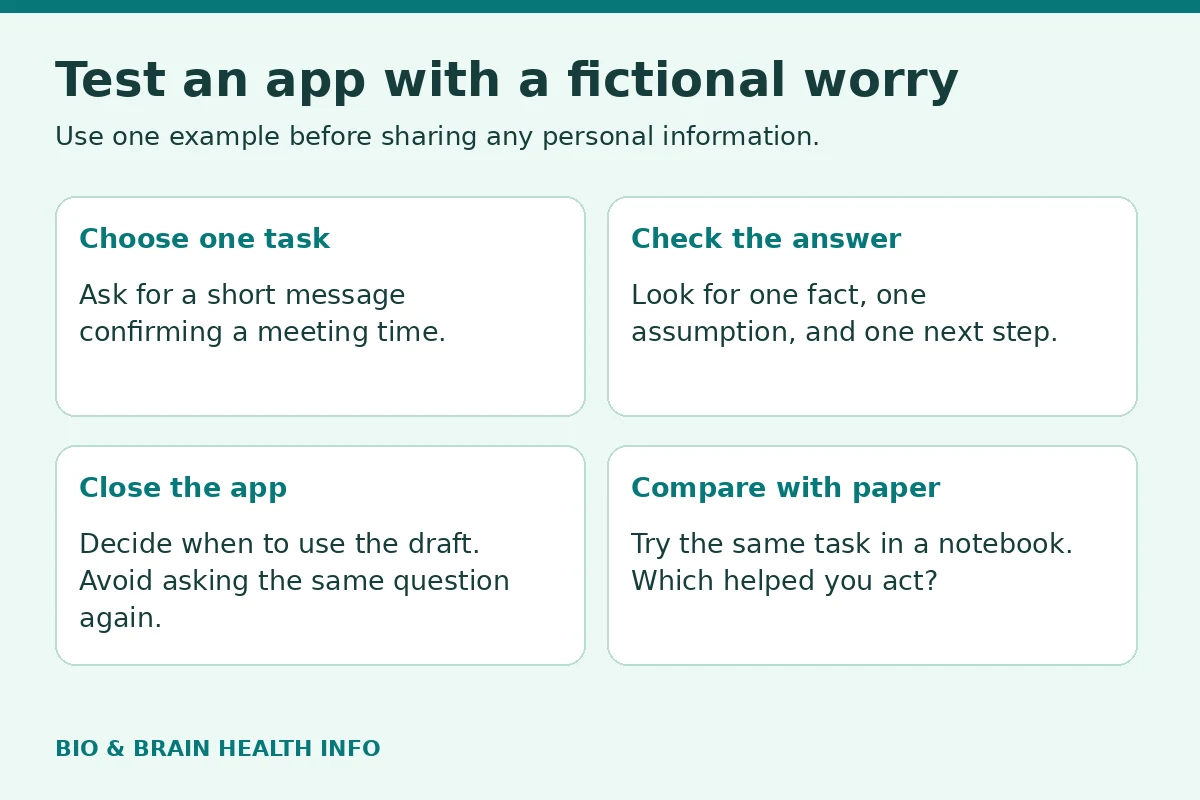
Before using AI apps for anxiety and overthinking, start with a fictional example. Imagine someone needs to reply to an email and is afraid their colleague will think they sound abrupt. Ask the tool to list one fact, one assumption, and one action. Read what it gives you. Then close it. If you want to run the test again, you can do it on paper and see which version leaves you with a clearer next step.
If the response invents a motive for the colleague, promises everything will go well, or pushes you to keep talking when you asked it to stop, you learned something about the tool. A useful reply can leave some uncertainty open. “Can we confirm whether the meeting starts at two?” is enough to take action. You can make the decision on the basis of what you know.
Check what happens after you close the app
The following day, ask whether you completed the task or reopened the conversation for another reassurance check. If you sent the email, the tool helped with the step you chose. If the chat grew longer and the email stayed in drafts, try a shorter method. You could use a worksheet, ask a trusted person one practical question, or decide on a simple time to send the message. BBH guide to interrupting overthinking loops
A worked example for a worry that keeps returning
On Monday morning, someone types, “My coworker hasn’t replied to my message. What if they’re angry?” The chatbot offers several possible explanations. They feel better for three minutes, then type the same question with one extra detail. By lunch, they have read five answers and still haven’t sent a follow-up.
A more useful task is to draft one neutral question and decide when to use it. “Hi, I wanted to check whether you had a chance to review this. Could you let me know by Thursday?” gives the coworker a clear way to respond. Send the follow-up through the channel you ordinarily use, if appropriate, and let the real reply provide information. You can leave the app closed while you wait.
The lesson applies to a call you keep postponing, a form you have checked several times, or a short message you’re reluctant to send. The useful outcome is that you know what to do next. You may still feel anxious while you do it.
Check privacy before typing details
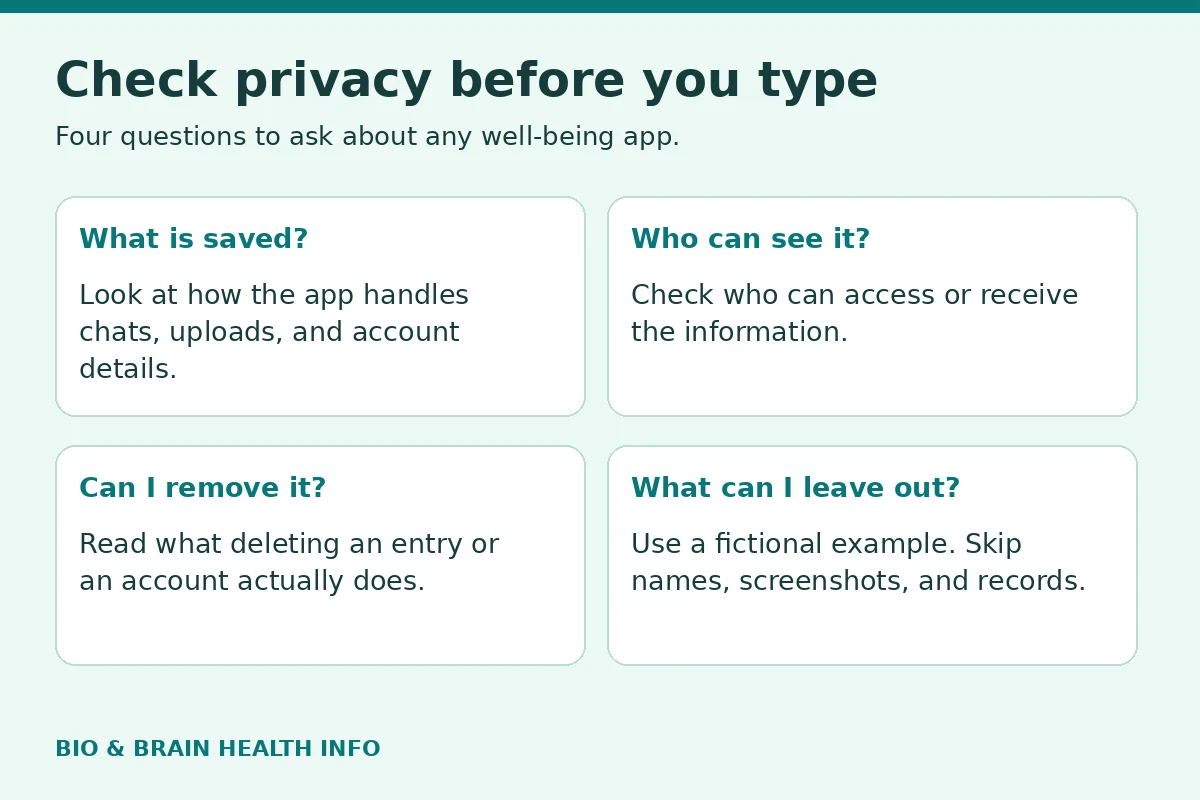
Look for what is stored, how long it is kept, who can see it, and whether entries can be deleted or exported. Check whether the tool can access your microphone, notifications, or uploads. A workplace or school account may have settings that differ from a personal account. If you share a device, think about what a lock-screen notice or emailed receipt could reveal.
Use the minimum information needed for the task. “A coworker” is enough for drafting a neutral follow-up. There is usually no reason to include their name, employer, work address, medical history, or a screenshot of a private exchange. If you need to speak candidly about identifiable health information, ask a qualified provider how they handle communications and what channel they recommend.
Privacy promises deserve a close read. In the United States, the FTC’s BetterHelp case illustrates why a health-related service’s data practices are worth checking. That enforcement action concerned a specific company. Use it as a reason to read the current terms of the service you’re considering, including any sharing for advertising, analytics, or product improvement. FTC final order concerning BetterHelp data sharing
When to get support beyond an app
If anxiety is affecting your sleep, relationships, work, or ability to leave the house, you can speak with a qualified healthcare professional. Tell them what has changed and how often it happens. “I’ve cancelled two shifts this month because I was afraid to travel” gives them more to work with than an app’s mood score. You can bring a brief note if that makes the conversation easier. U.S. National Institute of Mental Health: anxiety disorders
In the U.S. and Canada, check the professional’s registration in your state or province where applicable. In the UK and Australia, check what professional role the service offers and which registration or accreditation applies. Before booking, confirm whether the provider can see patients where you live, whether costs are clear, and how they handle urgent concerns or interrupted service.
If you’re exploring AI apps for anxiety and overthinking while waiting for help, choose one small task the tool can make easier and keep a way to reach human support directly. BBH Mental Health Support Resources · BBH guide to AI tools and overthinking
Frequently asked questions
Are AI apps for anxiety and overthinking the same as therapy?
A self-guided app offers an exercise, prompts, or a place to write. If an app offers clinical care, verify who provides it and how to contact them. A qualified clinician can assess your symptoms, discuss treatment, and adjust the plan with you. Ask what the service actually includes before sharing personal information or paying.
What should I try if a chatbot keeps giving me reassurance?
Give it one task with an ending, such as drafting one question to ask a real person. If you keep returning to the same chat to feel certain, try putting the question on paper or using a structured exercise. Persistent anxiety is worth discussing with a professional.
Do I need to buy an app to try an exercise?
You can try the fictional prompt above or write one fact, one assumption, and one next action on paper. If you do pay, read the trial length, renewal terms, and cancellation steps first.
Research and references
- Heinz et al. (2025). Randomized Trial of a Generative AI Chatbot for Mental Health Treatment. NEJM AI. DOI: 10.1056/AIoa2400802.
- U.S. National Institute of Mental Health. Anxiety disorders.
- Federal Trade Commission. Final order concerning BetterHelp’s sharing of sensitive health data.
- Product documentation. Wysa Global Privacy Policy · OpenAI chat and file retention · Woebot retirement FAQ.